Weekly planner
Plan your freelance week by client and project
ToDev puts the whole week in one view, with every task tied to a project and a client. Free to start, on the web, iPhone, iPad and Android.
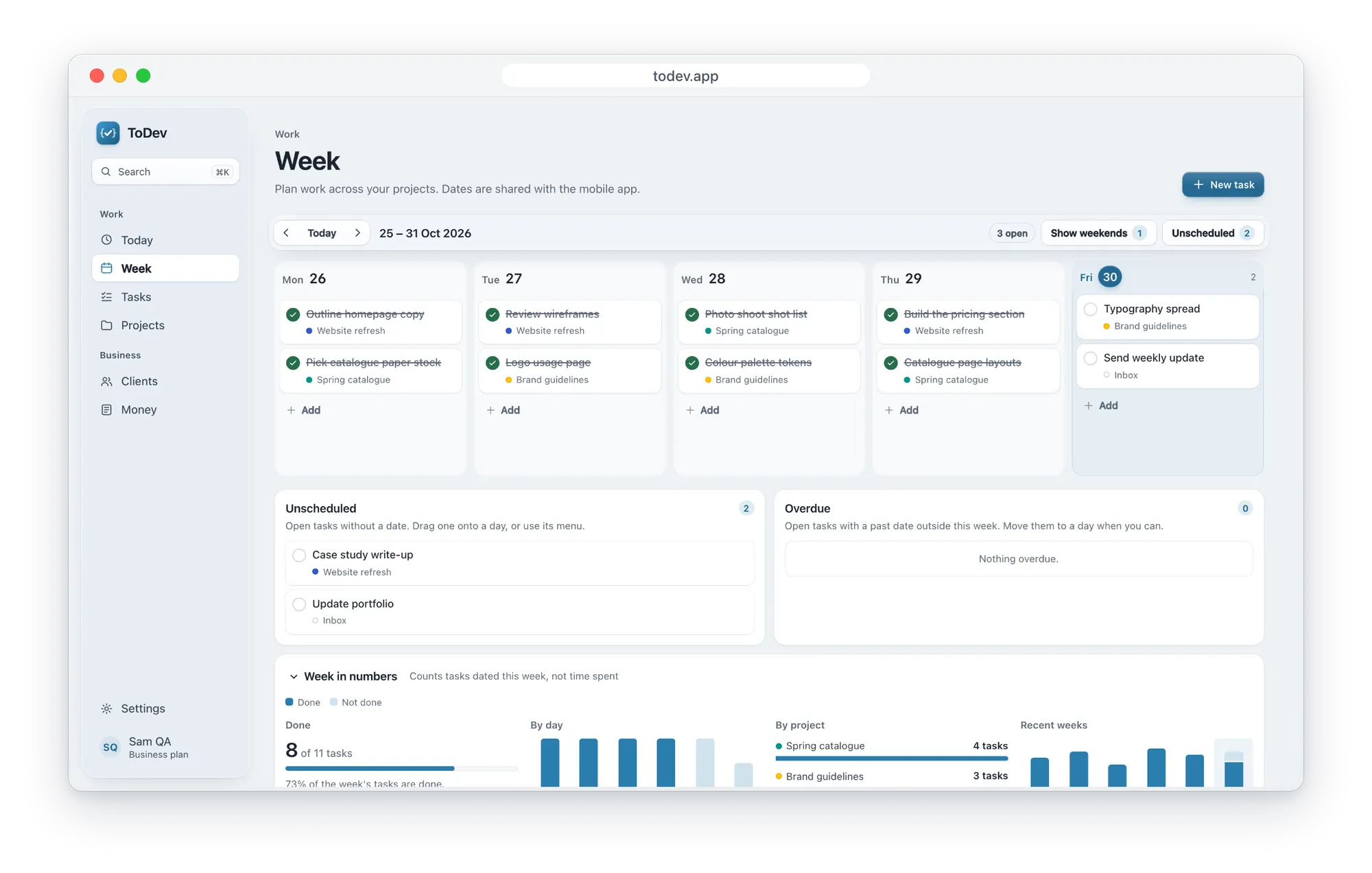
See the whole week at once
On the web the week is a board of your working days: drag a task to another day to move it, and Show weekends adds Saturday and Sunday. On iPad, turn it sideways and the week becomes a seven-day board.
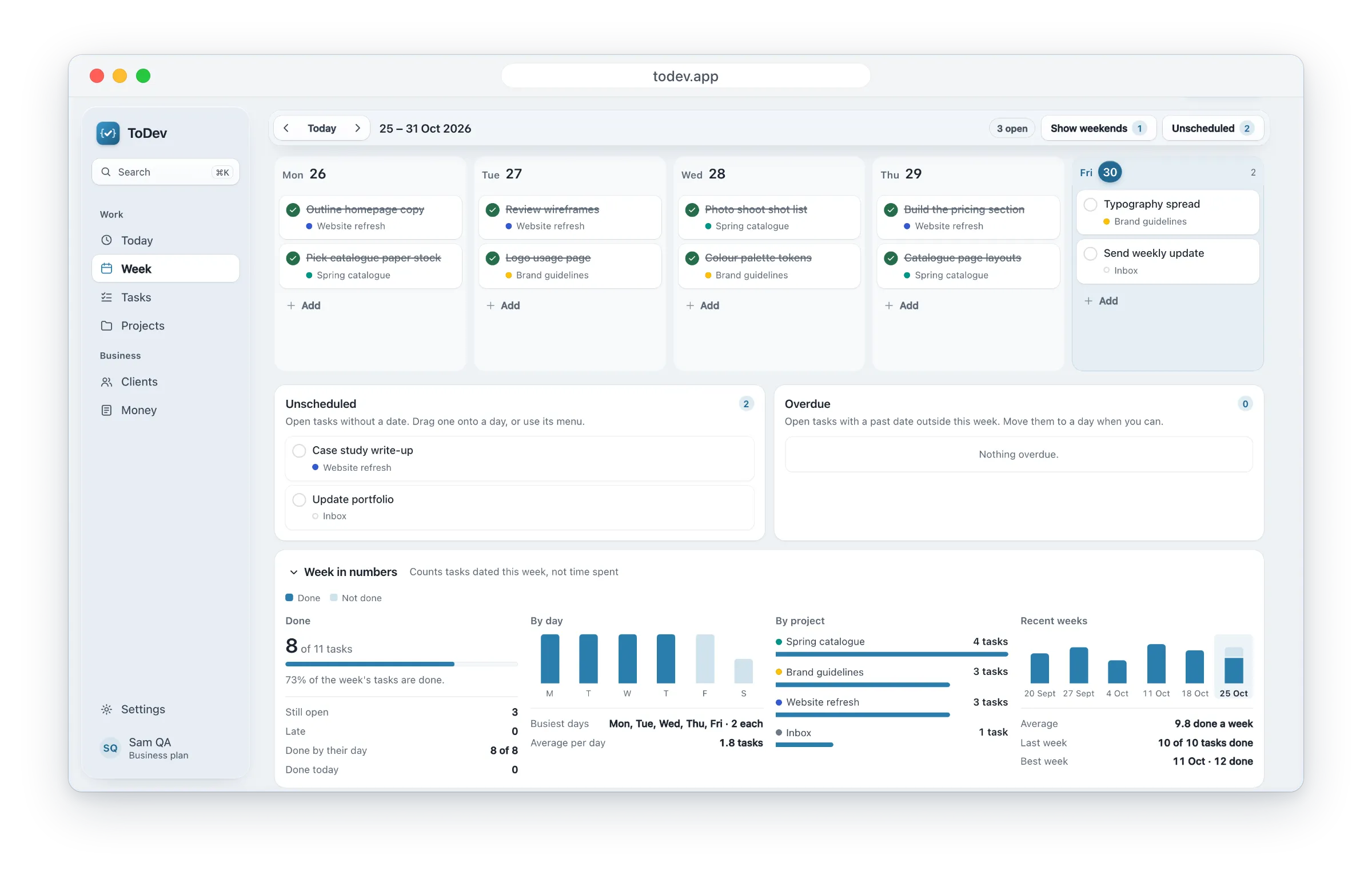
See how the week went
Under the board, Week in numbers counts the week's tasks: how many are done, which day was busiest, which project took the most, and how this week compares with the last six. It counts tasks, not hours.
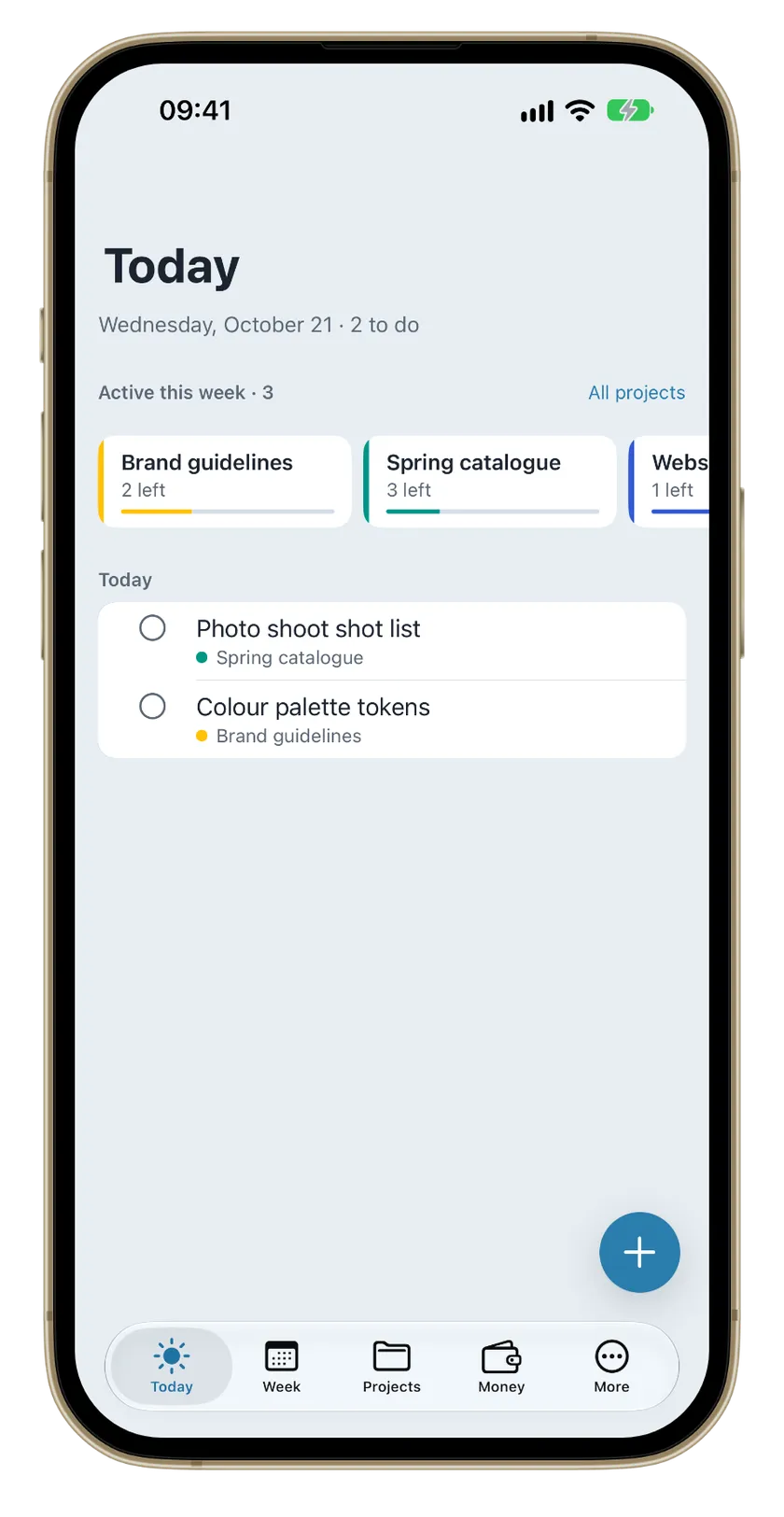
Start each morning with Today
Today shows what's due, what slipped from earlier days, and which projects are active this week. In the apps, move every late task to today in one tap.
Move work from your phone
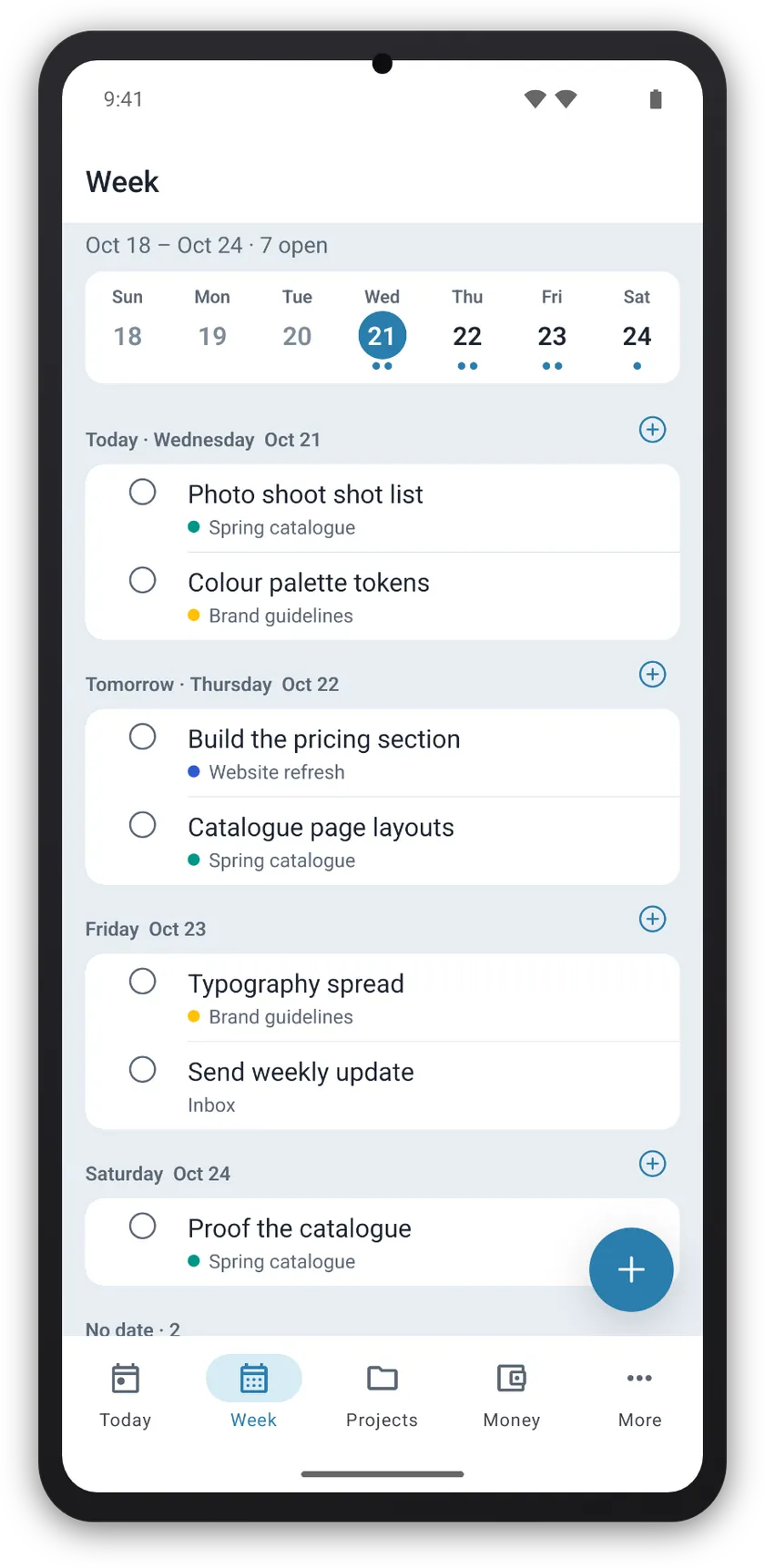
On iPhone and Android the week is one list, grouped by day. Swipe a task right to complete it, or left to move it to another day. Tasks without a date wait in Unscheduled until you give them one.
Every open task in one list
On the web, Tasks lists your open work by date, under Overdue, Today, Later this week, Next week and Later. Filter by project, date or status, save the views you use, and change many tasks at once.
Questions
Is ToDev free?
Yes, to start. The Basic plan is free: 3 clients, 3 projects, 3 invoices and 120 tasks. Business is 2,49€ a month and Premium 4,99€ a month for more clients, projects, invoices and tasks.
Does my week sync between my phone and the web?
Yes. Your account syncs between the web app and the iPhone, iPad and Android apps, so a task you move on your phone is on the right day on the web.
Can the week start on Sunday?
Yes. Choose Monday or Sunday in your preferences, and the week follows it on every device.
Can I hide weekends?
On the web, Week shows Monday to Friday until you choose Show weekends, and your browser remembers the choice.
Plan your next week in ToDev
Basic is free: 3 clients, 3 projects, 3 invoices and 120 tasks, on the web and in the apps.
Create your account